For iPhone and Mac

Lock in.
Level up.

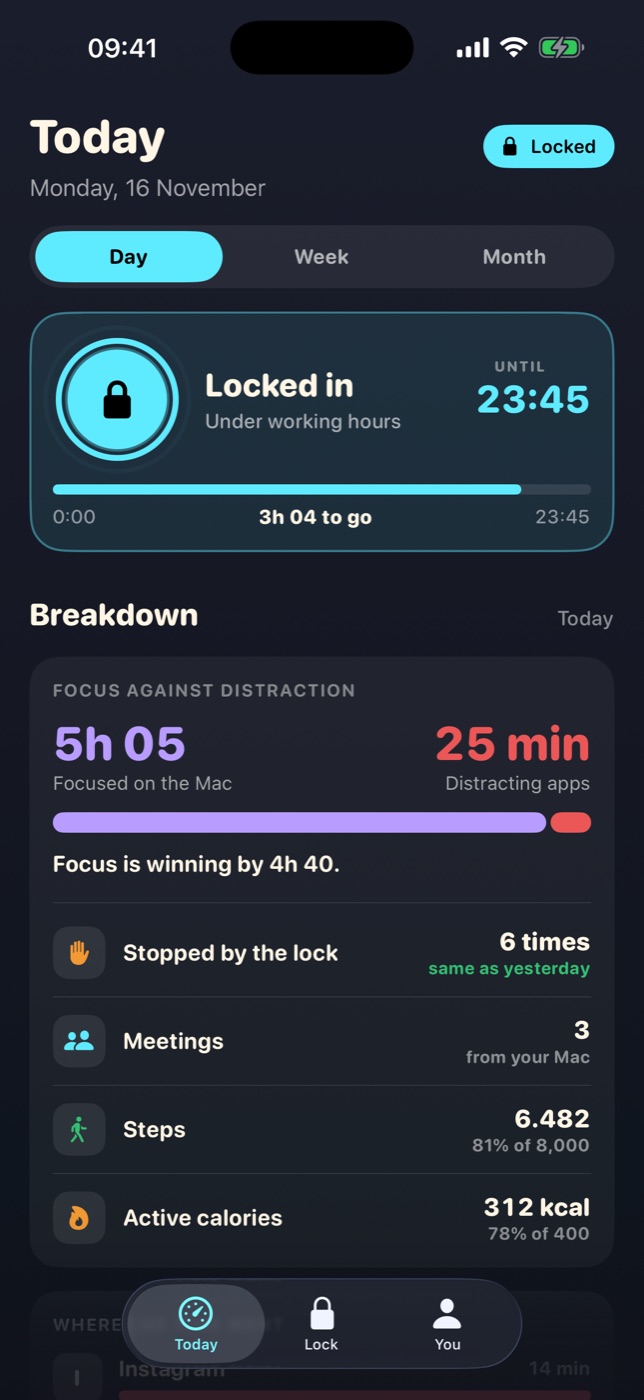
Sharkmode blocks the apps that eat your work day, scores your focus across iPhone and Mac, and promotes your shark from Pup to CEO as you improve.

Launching soon. The download buttons go live on launch day.

The Today screen: apps locked until the end of the work day, with focus on the Mac measured against time on distracting apps.
The average day
857 hours

a year go to the feed.

That is 2 hours 21 minutes of social media a day, added up. It comes to 21 working weeks. Lock in, and they are yours again.

Each square is a week of your year. Source for 2h 21m: DataReportal, Digital 2025. Hours and weeks are that figure multiplied out, at 40 hours a week.

How it works

Three things. That is the whole idea.

It locks what distracts you

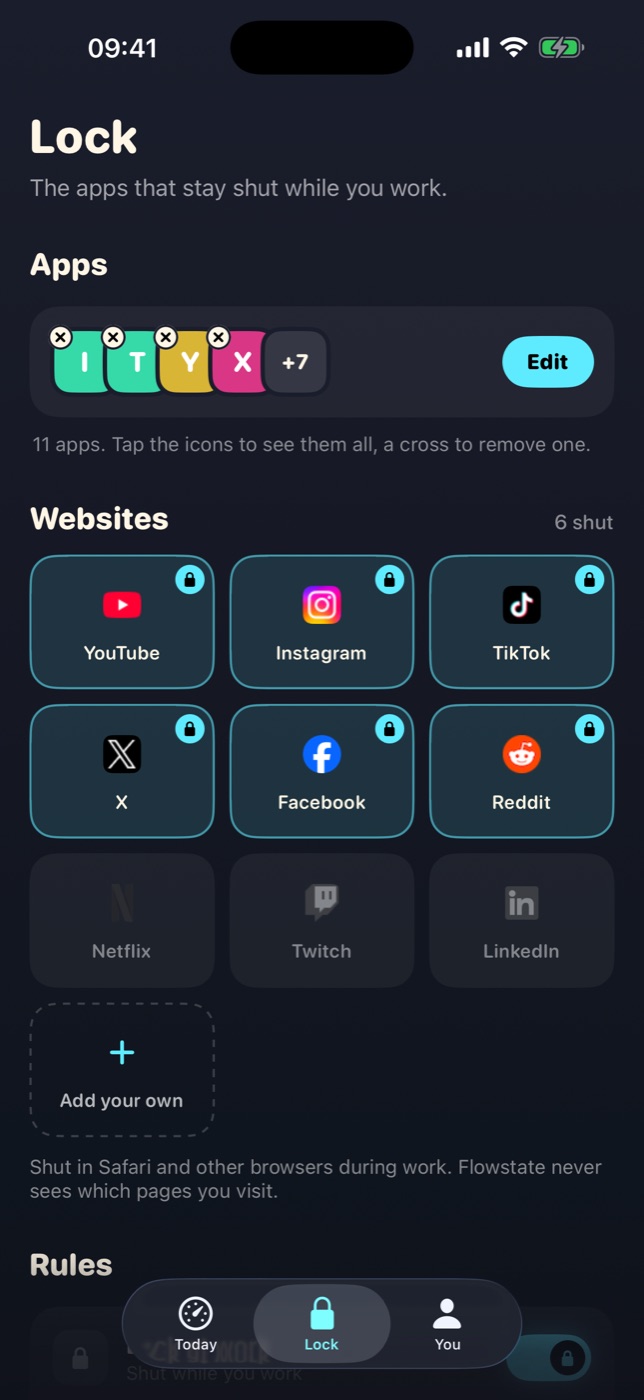
Pick the apps and websites yourself. They shut during your working hours, or the moment you tap Lock in. Strict mode removes the way out.

It scores the whole day

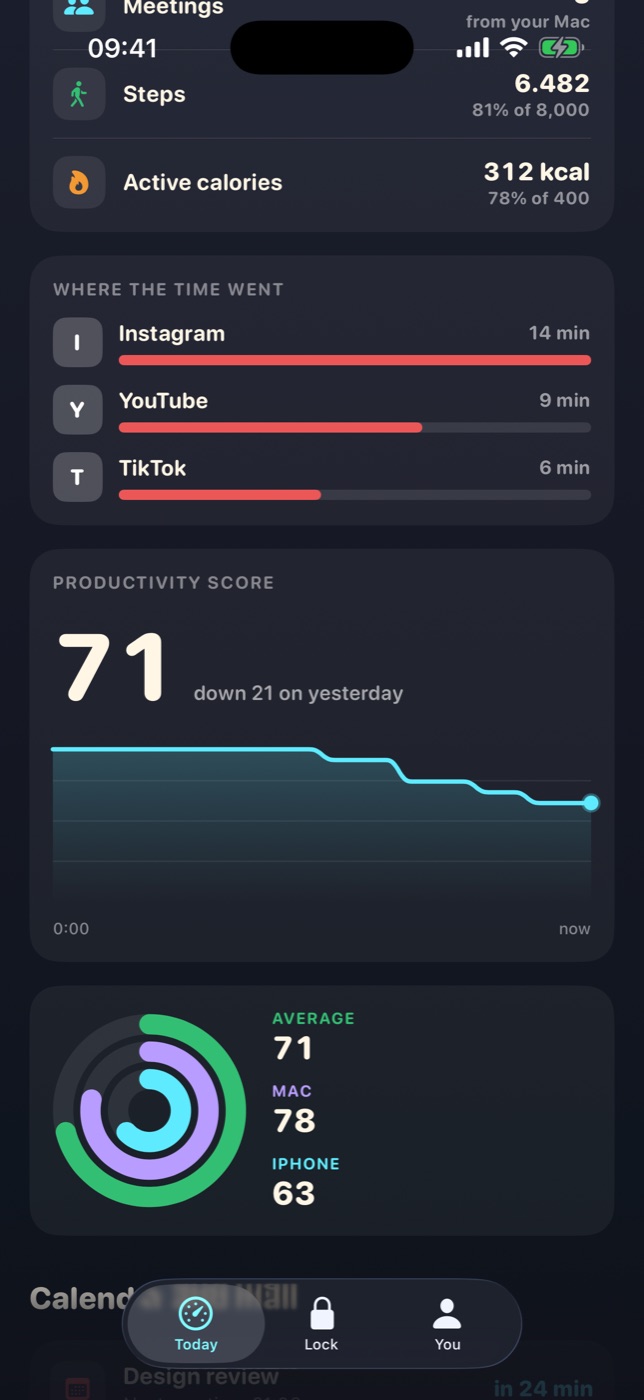
Focus on the Mac against time lost on the phone, in one number from 0 to 100. You see where the day went without reading a report.

Your shark gets promoted

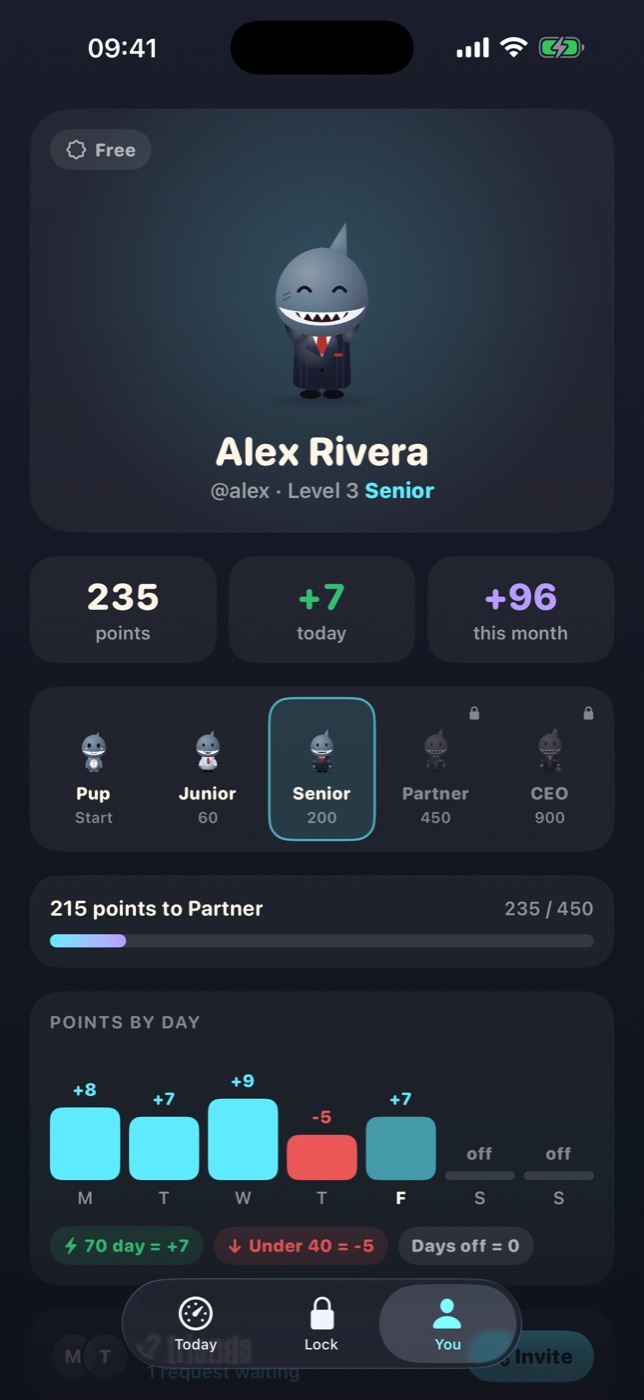
Every focused work day earns points. A bad one costs a few. Keep it up and the Pup becomes a Junior, a Senior, a Partner and finally the CEO.

The Lock screen with chosen apps and websites
You choose what gets lockedApps and sites, on your schedule
The productivity score with rings for Mac and iPhone
One score for iPhone and MacAnd where the time actually went
The profile with the shark's level and points by day
Points for every focused dayYour level, your week, your friends
The career ladder

From Pup to CEO.

A work day adds its score divided by ten. A day under 40 takes five points away. Days off change nothing, so rest is free.

PupDay one
Junior60 points
Senior200 points
Partner450 points
CEO900 points
On your Mac

A shark on your desktop.

On the Mac, the shark lives above your dock. It notices when you are in flow, cheers a long stretch, and has words for you when a distracting site wins.

  • Never records your screen, never reads what you type
  • Same account, same working hours, same shark as your iPhone
  • Stays out of the way: it speaks when there is something to say
Pricing

One subscription. iPhone and Mac.

Bought through Apple, cancelled any time in your Apple account.

Monthly

$9.99
a month
Billed every month
15% OFF

6 months

$50.94
every six months
Works out at $8.49 a month
30% OFF

Yearly

$83.88
a year
Works out at $6.99 a month, about 23¢ a day

Prices in US dollars. Your local price is shown in the App Store before you buy. Subscriptions renew until cancelled.

Private by design

Your habits stay yours.

No ads. No selling or renting your data. No tracking tools. Apple hides which apps you lock even from us: the app only ever learns totals.

Read the privacy policy

Can I get round the lock?

In Flexible mode you can take a short break, and every break is counted. In Strict mode there is no break button and the settings freeze during work. The lock uses Apple's Screen Time, so someone determined can still switch that off in iPhone Settings.

Do I need the Mac app?

No. The iPhone app works on its own. With the Mac app your score also counts the focused time at your desk, which is where most work happens.

How is the score worked out?

It is the average of your Mac's score and your phone's. The phone's goes down with time on the apps you locked, and each time the lock had to stop you.

What happens on days off?

Nothing. Days outside your working days neither add nor take points, and nothing locks unless you ask it to.

How do I cancel?

In your Apple account settings, under Subscriptions. Deleting your Sharkmode account is a button in the app and removes everything we hold.
Start as a Pup. See how far you get.